Why an open pack is a problem
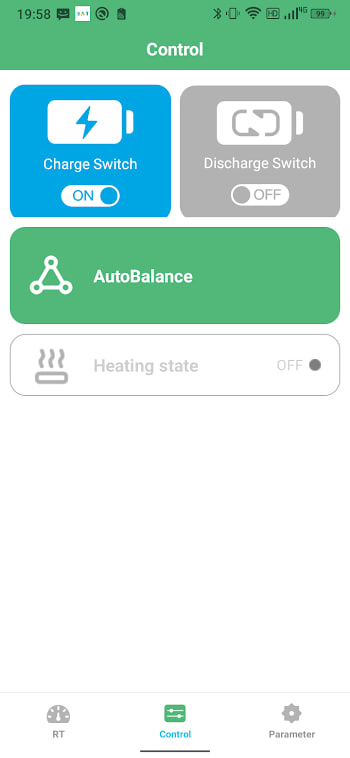
Your battery's Bluetooth radio does not know the difference between your phone and anyone else's. Out of the box, many budget BMS boards accept the first connection that arrives, and only one phone can hold the connection at a time. That means a stranger within about fifteen metres can read your data, hog the connection so your own app cannot get in — and on packs where the app exposes the output switches, worse. The e-rickshaw videos doing the rounds are exactly this, filmed for likes.
The fix is a pairing password. Once set, the BMS challenges every new phone for the code before it will talk, and the problem disappears.
Check if your pack is open
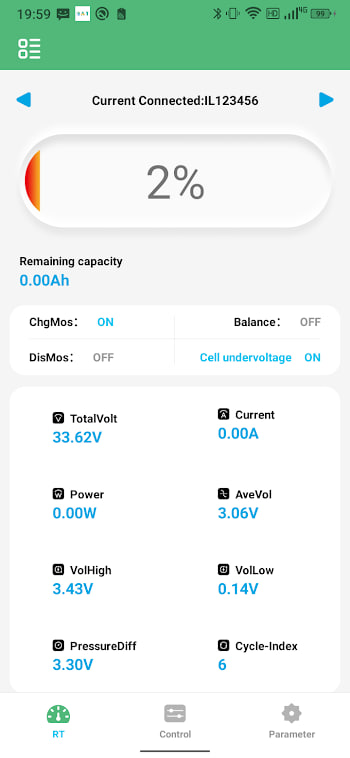
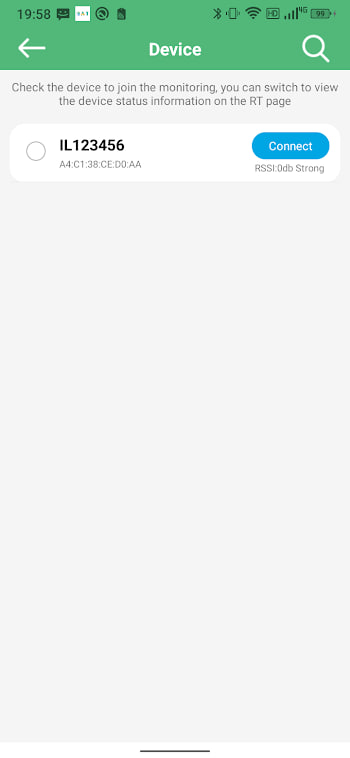
Do this test once and you will know where you stand. Forget the pack in your phone's Bluetooth settings, close and reopen BAT-BMS, scan, and tap your battery. If the readings appear with no prompt of any kind, your pack is open — anything you can do right now, a stranger can too. If a password box or pairing dialog appears first, you are already protected and can stop reading here.
Setting a pairing password
The exact menu name varies between BMS boards, but the flow in BAT-BMS is consistent:
- Connect to your battery as usual.
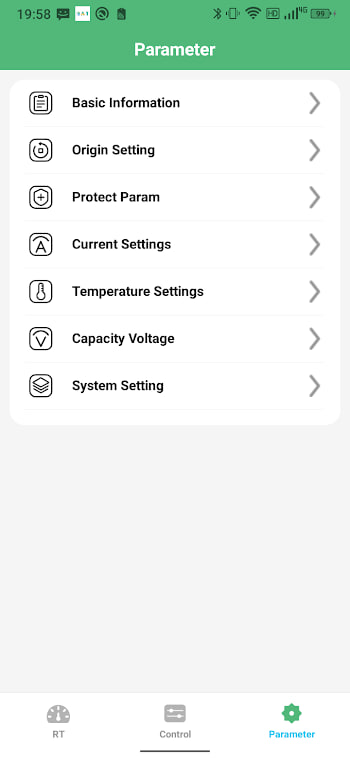
- Open the parameter or settings screen from the dashboard.
- Look for an entry named Password, PIN, or Pairing code — it usually sits near the factory-settings section.
- Enter the current code if one is set. On fresh packs the default is often
123456or000000, which is exactly why you are changing it. - Set your new code, save, and disconnect.
- Reconnect once to confirm the pack now asks for the code.
That last step matters. A password that was saved but never tested is a password you will discover problems with at the worst possible moment.
Choosing a code that sticks
Skip anything a bored teenager would try first: 123456, 000000, your vehicle number, the year. Six random digits are plenty for a radio that only reaches across a car park — the goal is to stop opportunists, not the NSA. Write the code on a sticker inside the battery compartment or store it in your phone's notes. Unlike an email password, losing this one can genuinely lock you out of your own hardware.
If there is no password option
Some cheaper boards simply do not implement one. You still have moves. First, check whether the settings offer a Bluetooth off or broadcast interval option — turning the radio off when you are not actively monitoring closes the door completely. Second, some packs support binding to a single phone, so the BMS ignores everyone else. Third, ask your dealer: many will swap or reflash a BMS with pairing support for little money. A pack that controls a vehicle you depend on is worth that upgrade.
Forgot the password?
Do not panic, and do not start guessing randomly — some boards slow down after repeated failures. Try the factory defaults first (123456, 000000, 111111), then contact the battery seller, who can usually reset the code with the manufacturer's tool over the wired UART port. Physical access always wins with BMS hardware, which is also a good reminder: the password protects you from people near your vehicle, not from someone who can open the battery box. Keep the box locked too.