Why BAT-BMS needs these permissions
BAT-BMS is one of those apps that looks simple but cannot work without a couple of awkward permissions. Bluetooth is the obvious one. Location is the one people balk at. The reason is not spying — it is that Android bundles Bluetooth scanning under the location umbrella, because a phone that can detect nearby Bluetooth beacons can, in theory, be located. So the OS insists on Location permission before it lets any app scan.
The permission that fixes most scans
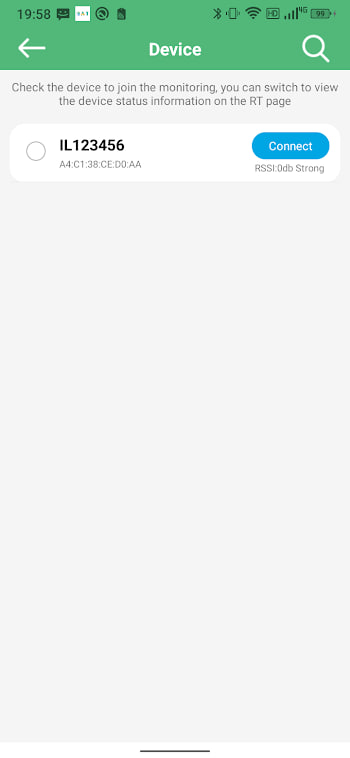
If your scan list is empty, this is the fix nine times out of ten. On Android 6 and newer, BAT-BMS needs Location access to discover Bluetooth devices. On Android 12 and newer, it also needs a separate Nearby Devices permission. Both must be granted.
The path on most phones:
- Open Settings and tap Apps.
- Find and tap BAT-BMS.
- Tap Permissions.
- Tap Location and choose Allow all the time if offered, otherwise Allow only while using the app.
- If you see Nearby devices, set it to Allow.
- Return to the app and scan again.
Precise vs approximate location
Android may ask whether to share precise or approximate location. For Bluetooth scanning, either works — the app does not actually use your coordinates. If you value privacy, choose approximate. It still satisfies the OS requirement and your scans will work.
When permission was denied by accident
It is easy to tap "deny" in a hurry during setup. The app will not re-prompt on its own in many cases. If you are stuck, the path above is how you reverse an accidental denial. Some phones also show a small "permissions denied" hint on the app info screen — a handy reminder.
Background and "all the time"
"Allow all the time" lets the app scan even when you switch away from it. For monitoring a battery while you do other things, that is useful. If you are cautious, "only while using the app" is fine — you just have to keep BAT-BMS open to keep the link live.
If the scan is still empty
With permissions sorted, the remaining causes are physical: the battery is off, you are too far, or another phone holds the connection. Walk through the Bluetooth not connecting checklist to rule those out.