Run the obvious checks first
Most "it will not connect" reports come down to one of five things, and four of them take less than a minute to rule out. Before you assume the app is broken, work through this list in order. You will save yourself a lot of frustration.
- Confirm the battery is switched on and the BMS has power. No power, no broadcast.
- Toggle Bluetooth off and back on from your phone's quick settings.
- Make sure no other phone is currently connected to the same BMS — most modules allow only one active link.
- Restart the BAT-BMS app, or force-stop it and reopen.
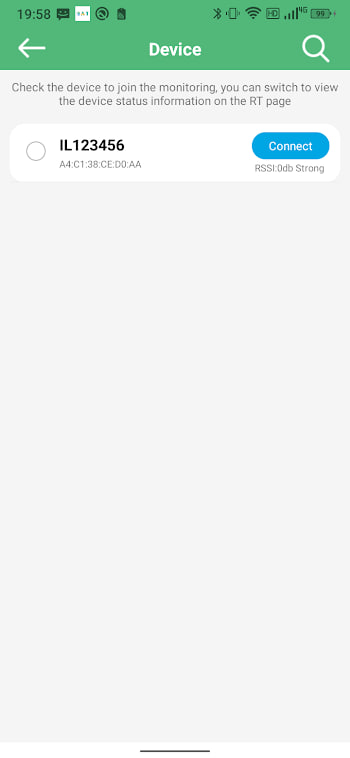
- Stand within two metres of the pack and scan again.
The silent permission problem
If the scan list stays empty no matter what, Location permission is the usual suspect. On Android 6 and newer, an app cannot see Bluetooth devices unless it has Location access. You might have tapped "allow only this time" once and forgotten, or denied it by accident.
Go to Settings → Apps → BAT-BMS → Permissions and set Location to "Allow all the time" if available, or at least "Allow only while using the app". Then scan again. Our permission fix guide has the exact paths for common phones.
Battery saver and Bluetooth
Android's battery saver can quietly throttle background Bluetooth scanning. If your phone is in power-saving mode, the scan may find nothing even when everything else is correct. Turn battery saver off temporarily, pair once, and you can usually switch it back on afterwards without trouble.
When another phone holds the link
Many BMS modules only talk to one phone at a time. If a housemate or a previous device is still connected, yours will sit in the cold. Ask the other person to close their BAT-BMS app, or disconnect on their end, then try again. This is an incredibly common cause in shared workshops.
If you are still stuck
Restarting the phone itself clears up Bluetooth stack glitches that no setting will fix. If that fails, the BMS module itself may need a power cycle — disconnect the battery for thirty seconds and reconnect. For persistent failures, the connection failed guide goes deeper into module-side issues.